
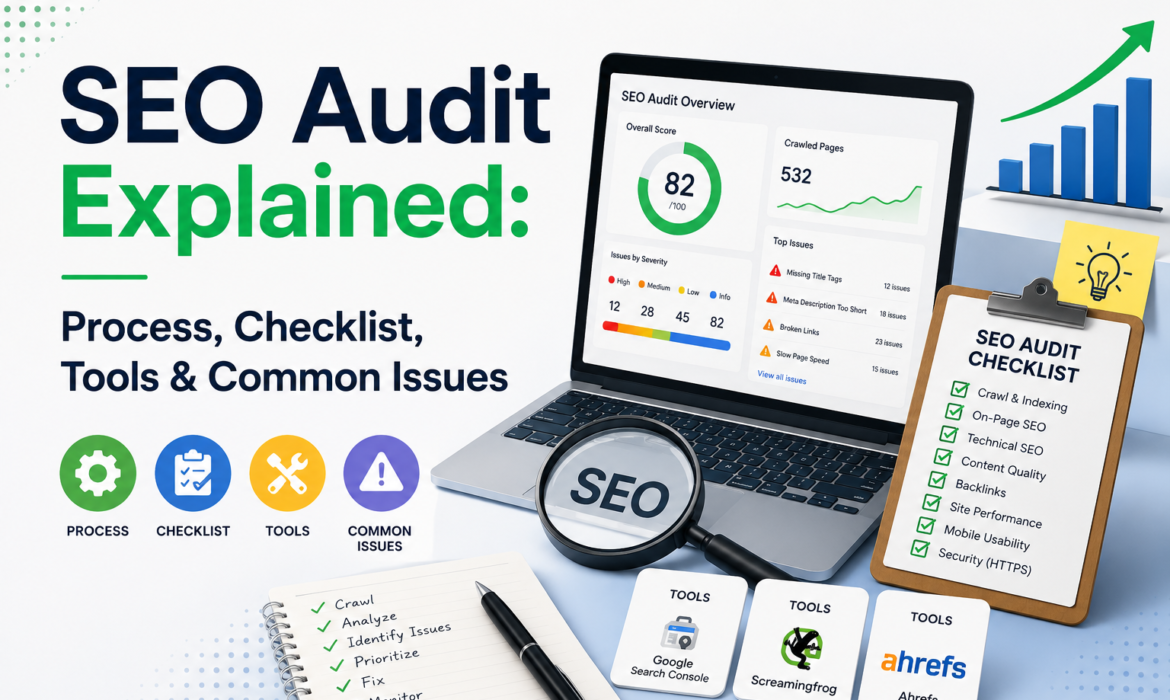
Have you ever checked the health of your website? The process that identifies hidden technical issues, reveals content gaps, and pinpoints specifically why a site is losing traffic or struggling to rank higher on search engine results pages (SERPs).
Table of Contents
ToggleNot every site owner knows the obvious SEO problems. A website can look perfectly fine, but it may quietly experience too many issues that hold it back.
If you want to improve your ranking, you need to understand what’s actually preventing your site from performing. That’s exactly what an SEO audit helps you do. It reveals hidden issues, highlights missed opportunities, and gives you a clear roadmap for improving your website’s search visibility.
In this guide, you’ll learn how to perform a complete SEO audit step by step, identify common issues, and uncover the changes that can have the biggest impact on organic traffic.
What is an SEO Audit?
An SEO audit is a process of evaluating how well your website is optimized for ranking across both LLMs and traditional search engines. If you want to know where you stand now, what’s holding you back, and what to fix, a website audit is the best option.
Here is a list of what a complete audit covers.
- Google Crawling & Indexing: It’s about how easily search engines can find your pages and keep them in their indexes. If they can’t reach your pages properly, nothing else really matters.
- Technical Measurement: Technical measurement is more about how your site actually feels when someone uses it. Things like speed, Core Web Vitals, how it works on mobile, and whether everything is easy to access without issues.
- Site Layout: Evaluate how well your website’s layout supports both user navigation and search engine indexing.
- Intent & Quality of Content: How meaningfully your content fulfills the actual need that search engines and AI systems are looking for.
- Search Visibility: Your organic search performance, AI-generated response, and search engine result page features.
- Brand Representation: How AI platforms connect, cite, and associate your brand to key topics
- Authority Signals: Identify the gaps in your brand mentions and backlink profile against your competitors.
- Competitive Benchmarking: It’s about looking at what your competitors do better than you and figuring out where you’re getting left behind.
- Keyword Research: Keyword research is about finding what people are actually typing into Google and focusing on the ones that bring the right kind of visitors to your site.
What Tools Do You Need for an SEO Audit?
An SEO audit involves analyzing multiple aspects of a website, including search performance, content quality, keyword opportunities, backlinks, technical SEO issues, and even visibility in AI-powered search experiences. While it’s possible to review some of these areas manually, the right tools make the process faster and more accurate.
Google Search Console
Google Search Console offers live tracking of indexing issues. You can check keyword performance, crawl errors, and page visibility.
Google Analytics
Google Analytics is just a free tool that lets you see what’s happening on your website. You can check where people are coming from, what they’re doing on your pages, and whether they’re actually taking any action or just leaving.
SEO Crawling Tools
There are various tools for SEO crawling, such as Screaming Frog, SE Ranking, Ahrefs Webmaster, and Seoclarity, which help identify redirect chains, broken links, duplicate content, and technical SEO issues.
SEO Platforms
All-in-one software suites, just like Semrush and Ahrefs, are designed to check keyword research, backlink analysis, competitor insights, and site audit reports.
Page Speed Testing Tools
Use web services like WebDev, PageSpeed Insights, or GTmetrix to analyze page speed, overall performance, and Core Web Vitals. Google itself explains these fundamentals in its SEO Starter Guide, which covers how crawling, indexing, and page structure work.
Structured Data Testing Tools
Validate schema markup and identify structured data errors that may affect rich search results. Tools like Google’s Rich Results Test and Schema Markup Validator make it easy to check whether your structured data is valid and highlight any issues that need fixing.
How Do You Perform a Complete SEO Audit?
Each website follows unique structures, and each has more than one SEO problem. Maybe some new pages are not being indexed. Some pages face keyword cannibalization. Others may be hidden issues in the site’s technical setup. The task is knowing where to start.
Audit review follows a structured workflow that helps to identify real issues in the right order. Instead of jumping between tools and reports. It is easy to identify problems and prioritize fixes because each stage focuses on a particular section of the website.
To perform a complete SEO audit of your site, follow these steps:
Step #1: Technical Site Audit
This is usually the first thing we look at. If search engines can’t properly access your site, nothing else really matters. Most websites lose 30–40% visibility due to indexing and internal linking issues. These problems often go unnoticed but directly affect how much of your site actually shows up in search results.
The goal here is to determine whether pages are loading correctly, if anything is blocking Google from crawling the site, and whether important pages are actually being indexed.
Once that’s covered, it’s time to look for common technical issues that can quietly hurt performance. Issues like:
- robots.txt configuration
- XML sitemap status
- Broken internal and external links
- Redirect chains and loops
- Page speed and Core Web Vitals
- Mobile usability issues
- HTTPS and security errors
- Duplicate URLs and canonical tags
- Orphan pages
These are the kinds of problems that don’t always show up on the surface but still impact how the site performs in search.
Step #2: On-Page SEO Audit Checklist
Once the technical issues are sorted, the focus shifts to the actual pages and blog posts on your website. This is where most of the ranking work happens.
Here, you check whether each page is properly set up to rank. It covers:
- Title tags
- Meta descriptions
- H1 and heading structure
- URL structure
- Keyword placement
- Search intent alignment
- Internal linking
- Image optimization
- Alt text usage
- Content readability
Make sure that every page feels focused, clear, and easy to read for both users and search engines.
Step #3: Content Audit Checklist
This part is about reviewing what you’ve already published and understanding what’s actually working. Not every page on a website pulls its weight. Some pages are outdated. Some still bring traffic. Others no longer match search intent.
A content audit helps you separate all three.
- Thin content pages
- Outdated content
- Underperforming pages
- Keyword cannibalization
- Search intent mismatches
- Content gaps
- Top-performing pages
- Duplicate content
- Topical authority coverage
- Opportunities for updates
The goal is simple. Keep what works, improve what’s outdated, and remove or merge what adds no value.
Step #4: Backlink Audit Checklist
Backlinks are other websites linking to your site. This part of the audit is just about checking who is linking to you and whether those links are actually helping or hurting you. Focus on these key points:
- Total referring domains
- High-authority backlinks
- Toxic or spam links
- Lost backlinks
- Broken backlinks
- Anchor text distribution
- Brand mentions without links
- Competitor backlink gaps
- Link relevance
- Link growth trends
Our main purpose is to keep the good links, ignore or remove the harmful ones, and look for opportunities where your brand is mentioned but not yet linked.
Step #5: Competitor SEO Audit
As the name shows, in this strategy, we basically see what our competitors are doing better than us.
- Competitor ranking keywords
- Top-performing pages
- Content strategy
- Backlink sources
- Content gaps
- SERP features they own
- Internal linking structure
- Topic clusters
- New content opportunities
- Keyword opportunities
The goal here is to spot gaps. Things they are doing that you’re not, and opportunities you can use to close that gap.
Step #6: AI Search Visibility Audit
Search is not just Google anymore. People are also using tools like ChatGPT and other AI platforms to find answers. This part of the audit is about checking whether your brand or content is even showing up in those AI-generated answers.
- Brand mentions in AI answers
- AI citations and references
- Entity recognition
- Topic association accuracy
- Presence in AI Overviews
- Content clarity and structure
- Third-party sources mentioning your brand
- FAQ and structured content
- E-E-A-T signals
- Competitor visibility in AI results
The goal is to make sure your content is clear enough and trustworthy enough that AI systems can easily reference it when answering questions.
What SEO Problems Are Most Common During Audits?
A site audit is not a simple task. When you run site analysis on different platforms, you start noticing the same problems again and again. It’s rarely anything mysterious.
- Many sites have pages that simply aren’t being picked up by Google. Sometimes they’re there, but they’re not indexed properly, so they never show in search results.
- Speed is another one that comes up almost every time. Pages take too long to load, especially on mobile, and people just leave before anything even appears.
- Duplicate content is also common, especially on bigger websites, where similar pages get created over time without anyone noticing.
- Then there are sites where internal links are messy. Important pages don’t get enough attention, while less important ones get most of the links.
- You also see pages that exist but don’t really say anything useful. They’re there, but they don’t help the user at all.
Most of these issues aren’t big on their own, but together they quietly drag the whole site down.
How Do You Identify Keyword Cannibalization?
Keyword cannibalization is a common issue when covering various topics. It occurs when multiple pages on a website end up targeting the same keyword or topic. In this case, instead of helping your rankings, these pages can compete with each other and make it harder for search engines to decide which one should appear in search results.
For instance, if you have two blog posts on the topic “SEO Audit Checklist,” Google may switch between them or rank neither page as strongly as it could. Many SEO specialists support this process by reviewing pages that cover similar topics and checking whether they are targeting the same search terms while auditing. Make a sheet and add pages that receive similar impressions, rank for the same keywords, or provide nearly identical information.
If you find keyword cannibalization, merge the pages, update the content to target different topics, or redirect weaker pages to stronger ones. This helps Google to identify which page should rank and improves your website’s overall visibility.
Should You Perform an SEO Audit Yourself or Hire an Expert?
Performing an SEO audit yourself or hiring a client is totally up to you. First of all, it is based on your skill. Do you know how to audit? If you have just basic knowledge, that’s okay. But if you think you can’t handle or solve issues, you can consult with an SEO audit service provider.
Besides, it also depends on your budget and time. If you have a simple site or a small budget, DIY is the best option. If you have a macro or brand site that is facing too many traffic issues, you can hire an expert. Still confused? Here’s a table to help you understand when to choose a DIY SEO audit and when hiring a professional becomes mandatory:
| Features | DIY | SEO Audit Expert |
| Best for | Small businesses, blogs, and simple portfolios | Highly competitive industries, E-commerce platforms, and sites that have recently undergone a migration |
| Pros | Free, use free tools, gives you total control, learn basics | Brings specialized knowledge, saves your time, international SEO |
| Cons | Time-consuming: advanced technical issues, prone to human errors | Evaluating a reputable professional is necessary and requires money |
| How to | You can use Google Search Console to track your performance, basic queries, and indexation | Follow official guidelines for vetting professionals and also check previous references |
How Often Should You Conduct an SEO Audit?
SEO is a process that constantly evolves. Google’s algorithm regularly monitors and optimizes websites according to updates. When we analyze our competitors, we identify new topics and opportunities we need to cover to develop the website.
But with new content and changes, some technical or SEO issues can also arise. An SEO audit identifies these issues early, helping prevent them from negatively impacting rankings and organic traffic. It is generally considered a good practice to conduct a comprehensive SEO audit every 3 to 6 months.
During this time, it is possible to thoroughly assess various aspects of your website’s SEO, including technical performance, content quality, and overall optimization.
What Should You Do After an SEO Audit?
It is not enough to conduct an SEO audit. The most important part is to solve the problems that arise after the audit step by step. Not every problem has the same priority, so the first step is to focus on the problems most likely to increase the website’s ranking and traffic.
An audit usually identifies technical issues, such as broken links, crawl errors, or indexing issues. Once these issues are fixed, you need to pay attention to on-page SEO, including body titles, meta descriptions, keywords, and internal linking.
If the audit reveals that some topics are not covered or some pages are not performing as expected, updating or publishing new content may also be necessary.
Key Steps to Execute Your Audit Strategy
- Separate Critical Issues from Minor Improvements
- Implement Technical Seo Fixes
- Revamp On-Page Seo
- Address Content Gap
- Monitor & Track Progress
Conclusion
In a nutshell, an SEO audit is all about getting clarity. It shows you what’s working on your site and what’s quietly holding things back. Most websites don’t struggle because of one big issue. It’s usually a mix of small things that build up over time. And once you see all of that clearly, the next steps no longer feel random. You just start fixing things in order, based on what actually matters. That’s really it. Not theory, not complexity, just a structured way of cleaning things up so search engines and users both understand your site better.
Frequently Asked Questions
What Is the Difference Between an SEO Audit and a Website Audit?
An SEO audit specifies your visibility in search engines like Google. A website audit is a thorough health check. It contains the site’s complete digital presence, including user experience (UX), functionality, security, and overall design
What Is Considered a Good SEO Score in an Audit Tool?
A good SEO score ranges from 70 to 100 on common audit tools. If your audit score is 85+, it is considered a highly optimized website. However, anything below 50 requires immediate technical and content fixes.
Is There a Free Tool to Check SEO Performance?
Yes, there are free tools available where you can check the basic SEO performance of your website. Google Search Console is considered to be very reliable, as it is a direct Google tool and has real data.
Ubersuggest and the free version of Ahrefs are also used for this, but they show limited data. Simply put, Google Search Console is enough to get started.
How to Make an SEO Audit Report?
A simple way to create an SEO audit report is to first clearly understand the website issues and then present them in a structured manner. You usually divide the report into sections, such as technical issues, on-page SEO, and content issues. It is not enough to simply list the issues; you also need to provide a brief explanation and solution so it is clear what needs to be fixed.
Finally, a prioritized list is created where the most important issues are placed first.