
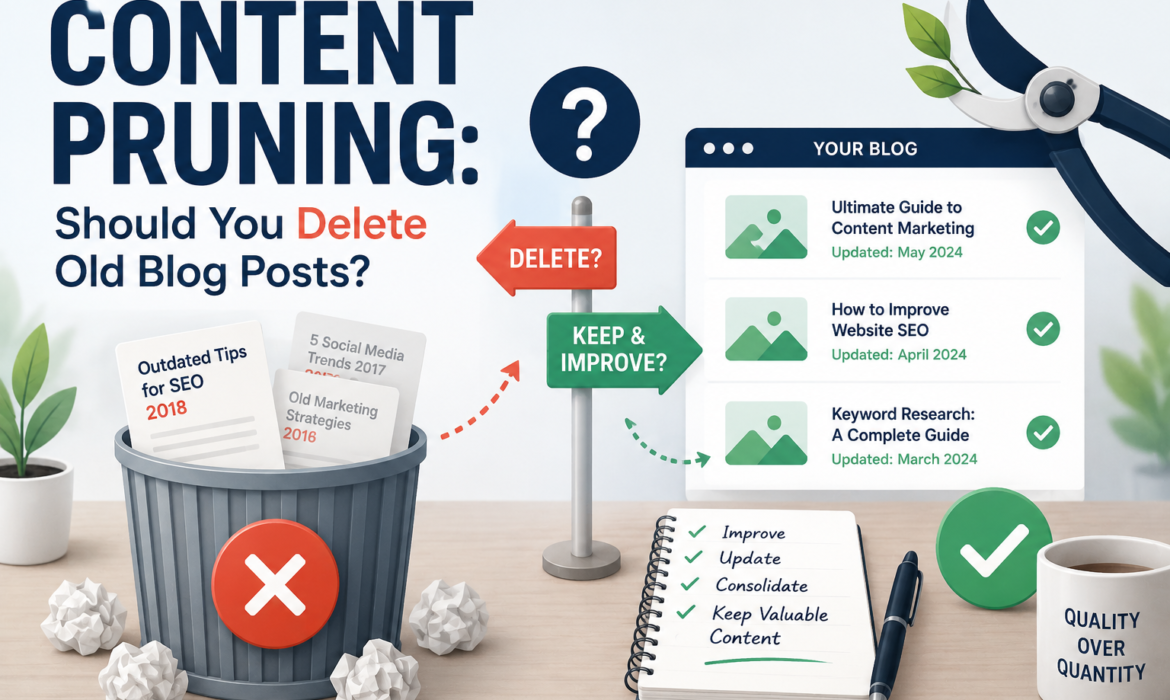
Content pruning is a very simple but understandable issue. Every website has lots of blog posts over time. Some topics are seasonal, so they rank for a certain period of time. The posts and pages that are performing poorly are not helpful to either Google or your site. Did you know that this type of thin, low-quality, outdated content keeps your site off the top of Google? A best practice to overcome this problem is called content pruning.
Table of Contents
ToggleThink about when autumn comes: the leaves fall from the tree and are replaced by new leaves. And the new leaves make the tree healthier and more attractive than before. In the same way, your website is the tree, and the leaves are your content.
What is Content Pruning?
Content pruning is a type of site maintenance. It mainly focuses on reviewing and removing, updating, or combining old, low-quality web pages to boost a site’s search engine position. In simple words, delete low-conversion or low-quality posts with boilerplate or duplicate content pages that are irrelevant anymore. The main goal is to get rid of content scraping by getting rid of these pages and to only show your audience the latest, richest, most relevant content. Its plus point is that Google prefers high-quality, updated content, so the pruning of your content is a key SEO factor.
Why Content Pruning Matters for SEO
Content pruning freshens up your site and makes more room for new, highly demanding topics. As you remove old pages, your site’s ranking immediately goes up. Just like that, the more you clear the way, the faster you will reach your target.
It affects the overall authority of a website. For example, if there are lots of repetitive topics and content cannibalization, it can dilute your site’s overall authority. In this situation, Google is definitely struggling to know which posts are truly valuable and which ones to prioritize.
With the help of content pruning, you can solve this problem. Remove and merge weak pages and revamp them into strong ones so the web crawlers focus on your best content. This is a best practice for better rankings, cleaner site structure, and better crawl efficiency.
Another benefit is that it enhances user experience, as visitors are less likely to explore thin content, which increases the traffic to your website. Content pruning is not only about reducing the amount of content on the site but also about ensuring that there is intent and value from each page.
How to Identify Content That Needs Pruning
Not every old post is a problem, so the real skill is knowing which pages are holding your site back. You’re basically looking for content that no longer serves users or search engines in a meaningful way.
Check Performance
Check the performance of pages that have been live for a lengthy period and are still getting very low traffic. These are the strong pages to consolidate. The content that is no longer attractive to visitors is worth asking why it still exists.
Check Ranking
Analyze the search rankings. Content that is ranked lower than the top position and nowhere usually indicates that it is outdated or less competitive. Often, the topic remains relevant, but the performance is no longer strong enough.
Should You Delete Old Blog Posts?
Yes, you should delete the previous blog posts if they are not relevant, need to be updated according to current information, or cannot be recovered.
Deleting old content could depend on your content quality. We can say there are three types of blog posts:
- Evergreen content, which is always in search and useful for users.
- Irrelevant, out-of-date, and poor-quality content could be changed or modified.
- If the blog is completely out of trend, there is no search or relevant traffic; you need to delete it.
When Updating Content Is the Better Option
I always said that if your page has historic traffic, a high ranking in search, and valuable external links, updating the existing page is much better than writing a new one. This practice not only saves your time and secures your hard-earned authority but also quality-fixes outdated facts.
Here are some facts that you need to check before updating your content:
When Traffic Drops: Use Google Analytics to check your pages’ traffic. Spot pages that do well but are recently showing lower traffic and lower visitor counts.
When Facts Are Old: Update old stats, tables, prices, or products that match current information. As a result of outdated data, you lost your users’ trust.
When the Core Topic is Still Good: If the main topic is still useful or in search rankings, updating an existing page is more useful than creating a new one.
When competing on search engines: Search engines like Google, Yahoo, and Bing prefer updated and comprehensive blog posts or pages. It is much easier to rank new rivals by adding richer details to an existing page.
When Is It Time for a Completely New Article?
- When the topic is completely changed
- When business goals shift, target your audience.
- If your page is so outdated, take more time to update it instead of writing from scratch.
How to Conduct a Content Audit Before Pruning
Conducting a content audit is necessary if you want to improve your website’s ranking, traffic, AI mentions, and overall visibility. We have got some tools to conduct an audit of a website. Before we move on to any other step, let’s first discuss the difference between a technical and SEO content audit.
Technical Audit
In this, an agency takes your website, plugs it into one of the tools that they have, and spits out a really long report with a bunch of information about missing meta descriptions, title tags, broken links, 404s, and maybe some page speed-type information.
SEO Content Audit
When we look at a website, we look at it from the point of view of what content assets you actually have on your website. Content assets can typically be grouped into a couple of different categories. The first would be the main pages on your site; this would include your home page, your services pages, and any location pages. Basically, your commercial intent pages are where you hope your people will go to those pages and buy something from you.
The second type of assets you have on your site are any additional pages that are not listed in the main nav; these could be guides. These could be other resources, information, how-tos, and listicles. They usually come in the form of a blog. And these content assets would be more of an informational intent, which makes them more of a top-of-the-funnel journey perspective, or the top of the funnel.
So, with an SEO content audit, we are going to go through the website and identify the performing and opportunity pages that exist on your site. So let’s dive right into how we do an SEO content audit.
Step-by-Step Content Pruning Process
Collect your content
For this, use a content crawler tool such as Screaming Frog; add your website’s URL to it. It gives access to check up to 500 pages for free every time you try it. Find your website’s hidden pages. Check your website’s sitemap to find orphaned pages that are not internally linked to another page.
- To check the sitemap, write your URL in Google like this: “www.abc.com/sitemap.xml” or “www.abc.com/index_sitemap.xml.”
Make a sheet and put all your URLs in a program like Excel or Google Sheets, whichever you find easy to use.
Gather your data
Index your site in Google Search Console and Google Connects. For each URL in the spreadsheet, add these numbers from the last 12 months.
- Clicks: the number of people who visited your site from the Google search engine.
- Impressions: The number of times your site appears in search results.
- Traffic: Total page views.
- Conversions: The number of visitors who buy a product or sign up for an email.
- Backlinks: How many other sites link to your page.
Check page quality
Check the page audit by yourself. Ask yourself, is this content outdated or incorrect? Is this information useful for readers? Is the intent still clear or relevant? Do you have more pages that have similar intent?
Decide on an action
Based on your audit report, sort each page into one of these five choices.
Keep: The page gets good traffic and is helpful.
Update: The page has enough potential, but it needs new facts and figures, images, or better keywords.
Merge: Combine two or more pages that have the same intent into a longer one for best practice.
Delete: The page has zero value, no backlinks, and provides no traffic.
Redirect: If you merge or delete a page, send the previous page URL to the new one, the updated page, so the users don’t see an error like 404.
Common Content Pruning Mistakes to Avoid
If you have a bunch of content on a stagnant website, you’re losing out on that opportunity to provide a user experience, and also, on the analytics side, it’s not helping Google to understand the context of your website. In this case, you should prune your pages. But most of the time, people ignore some important facts and make some mistakes that may cause other SEO problems. These mistakes are as follows:
Forgot to Redirect
You have deleted a page without redirecting it to a new one. The result is that when a user comes to the previous page, he faces an error of 404 not found, page not found, etc. In this way, the site loses the trust of visitors. Whenever you delete a page, always use a 301 permanent redirect from the older page to the new one. In WordPress, you can use a 301 permanent redirect plugin for your convenience.
Deleting Page with Backlinks
You simply check its traffic; if it is too low, you delete the page without checking that the page has backlinks (links to other websites). Backlinks are also known as “votes of confidence.” They increase your site’s trust and authority. If you lose these links, you have lost all that past authority. To avoid this mistake, use Ahrefs’ backlink checker to audit the links. Redirect or update your content so you keep the authority.
Pruning Based Only on Age
If you have deleted the page, only compare its age. Old pages are still highly worthwhile if they bring steady traffic or answer timeless questions. Don’t delete the page; update the content, add new information, update the date of publication, and ensure the information provided by the page is accurate.
Removing Too Much Content at Once:
Suppose you have deleted too many pages in a day, and after that, your traffic drops. You are unable to know which deleted page caused the problem. Prune in small batches. Give it a week or more to monitor how these changes affect your traffic and search ranking.
Ignoring Internal Links
You have deleted a page and forgotten to check that this page is linked to another page of your site. In this way, your navigation path gets broken. Visitors clicking on these internal links will end up at a dead end. Once you have pruned, use Screaming Frog to check, remove, or update all the internal links pointing to the deleted pages.
How Often Should You Prune Content?
There is no specific time period to prune the content on your website. But pruning content on a regular basis benefits plenty of websites. A best SEO practice is to audit your content every 6 to 12 months.
In this way, you can catch outdated information, pages, and posts that are no longer aligned with your current target audience and reduce traffic that starts to hurt your website’s SEO ranking.
How active your site is determines whether to prune your content. If you post new content frequently or work in a fast-changing industry, more frequent reviews may be necessary.
For healthy websites, an annual content audit is enough. The key element is consistency. Your basic purpose of pruning content is to keep it fresh, focused, and relevant to the subject that truly adds value.
Conclusion
Content pruning can be overwhelming if you have a macro site. But it is a smarter way to keep a website relevant, useful, and easy to navigate. By reviewing, updating, or combining pages that no longer serve users, businesses can improve the overall quality of their websites and strengthen their SEO performance.
When done regularly, content pruning helps search engines focus on the most valuable pages while providing visitors with accurate and engaging information. Rather than allowing outdated or low-performing content to accumulate, organizations can maintain a cleaner and more effective content strategy. In the long run, content pruning supports better user experiences, stronger search visibility, and sustainable website growth.
Frequently Asked Questions
Is it OK to delete a blog post and return a 404?
Yes, it is completely okay to delete old posts and return a 404 Not Found page response code. In fact, it stated that it is normal to return a 404 page.
Is it better to serve a 404 or a 410 when you delete blog posts?
Both of these options are fine. Google doesn’t react to which response code you have used, 404 or 410. It treats both response codes the same.
Google stated that “Currently, Google treats 410s (Gone) the same as 404s (Not Found), so it’s immaterial to us whether you return one or the other.”
Is it ever OK to 301 redirect deleted blog posts?
Yes, it is absolutely okay to redirect an old page to a new one using a 301 permanent redirect. It is even a more secure and healthy practice to redirect your deleted URL to a new relevant page.
What are my options when dealing with "bad" content?
Everyone should have 4 options to check out before deleting any page.
- Update: Refresh your content with new, updated stats, better headings, modern products, etc.
- Consolidate: Merge short, overlapping pages into a long, authoritative guide.
- Delete & Redirect: Delete the page entirely and add a 301 redirect to a relevant active page.
- Leave Alone: Keep a page; it serves a purpose for your users, like “terms and policies,” even if it does not get Google search traffic.